CardCite is a Chrome extension that builds debate citations in your format. Open it on any webpage or PDF and it reads the page, fills in the fields, and assembles the citation in your team's exact style.
CardCite works with one click, ready to paste into your doc with fonts, sizes, underlines, and italics preserved.
The most accurate citation tool on Chrome. On 150 web pages, 92.7% of CardCite's citations had every field correct, against 32% or less for MyBib, Scribbr and Zotero. More on CardCite's accuracy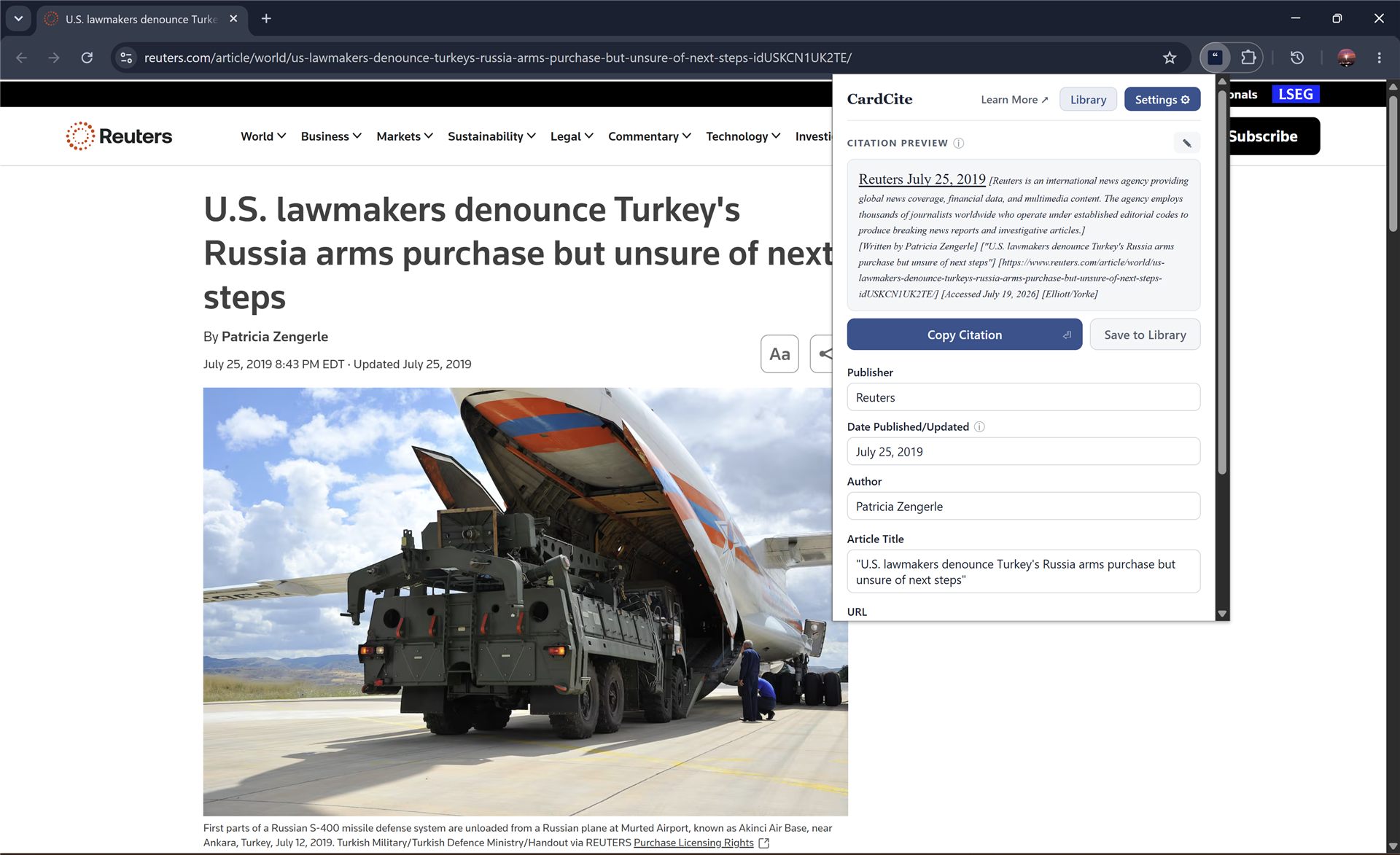
A card that usually takes a few minutes of checking and typing the exact brackets and font size is ready to copy in less than a second. CardCite is highly accurate, and when a value rests on a weaker signal CardCite marks it with an amber note so you can easily check it. Every field can be edited before you copy.
CardCite's format can be quickly set to your citation style. Paste one of your citations and CardCite sets your format from it: it reads which fields are in the citation, their order, the brackets and punctuation around them, and the bold, italic, underline and sizes your paste carries. It shows what it will produce and how it read each part, and allows you to edit it before saving it to your settings. You can modify or redo it at any time.

Start from a preset, the CardCite default, MLA, APA, or Chicago, then change anything you like. Your changes are kept as a Custom preset you can return to.

Each field carries its own brackets or parentheses, ending punctuation, font size, bold, italic, and underline, and whether it starts a new line. CardCite also allows prefixes to be added, like "Written by" ahead of the author names or "According to" before the publisher. Choose from a few presets on each field, or write your own.
Choose whether a page that shows both a published and an updated date cites the update or the original, or both.
Compact mode shows only the finished citation, instead of also showing each individual field. You can also set the popup to close automatically after copying the citation, and change the keyboard shortcut (Alt + C by default).
Any field that came out blank or carries a note stays on screen in compact mode, so nothing that needs a look is hidden behind the preview.
One toggle themes the popup, the settings page, and the Library.

The popup with compact mode and dark mode
When CardCite recognizes the site you're on, it fills in a saved description of the source, drawn from a built-in database of 1,000+ sources covering news outlets, think tanks, journals, and government bodies, with new sources added over time specific to upcoming resolutions.

Write a description once, or edit the built-in one, then save it for the site. Next time you cite anything by that source, it's filled in.
Measured with a consistent standard against the three most installed citation extensions, on 150 web sources. CardCite has been tested over thousands of web pages, with the detection code tuned to be highly reliable on all page types.
For each field CardCite gathers the signals the page carries, the metadata in its source code alongside the text a reader sees, and checks them against each other before a value is used.
Highlight a passage before opening CardCite and it carries over, shown in a small preview under the citation. It can be edited to underline a section, change the font size of a segment, or add italics. These changes and your citation in its set format carry over when you paste them.
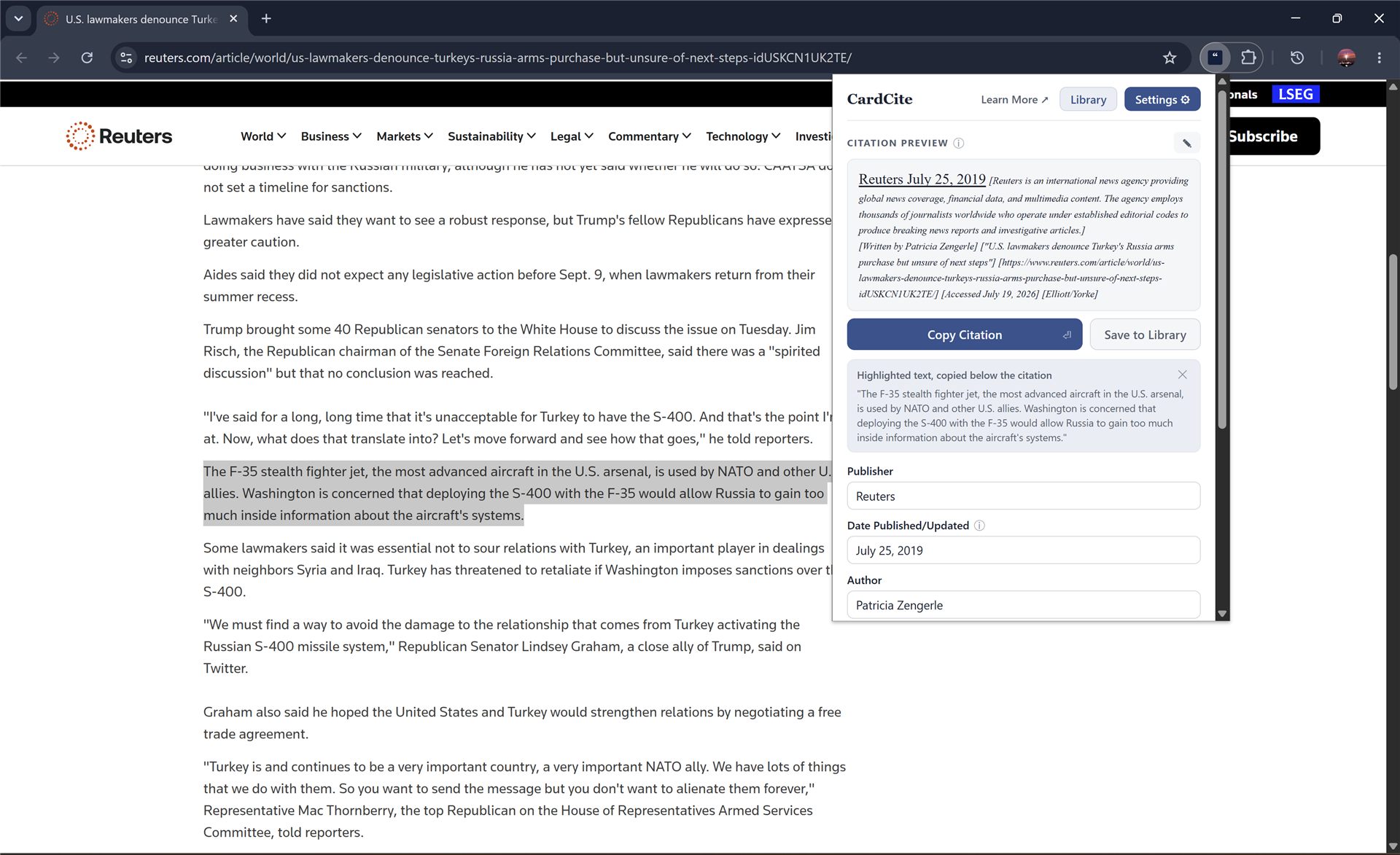
Inside of the popup you can save a citation to your library, exactly as it was formatted when you saved it.
It is useful for two things in particular:
Going back to a source before you use it. Each entry keeps its link and its details, so if you want to reopen an article and read it more before pulling a quote from it, the page can be found easily.

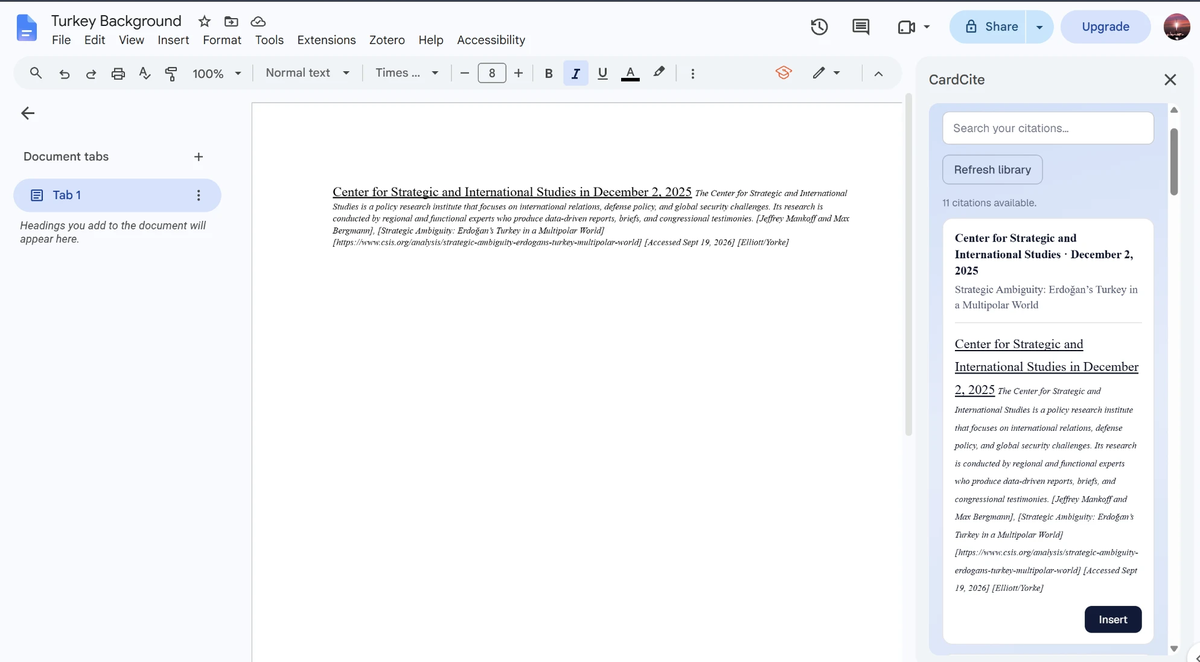
Getting citations into a document. The CardCite add-on for Google Docs™ opens your saved library in a sidebar beside what you're writing, so you can insert citations as you go. When you quote the same page multiple times in a brief, you can paste the exact same citation from the sidebar without leaving Google Docs.
Save any citation straight from the popup. Each entry keeps the exact formatting it had, fonts, styling, and field order included.
Find past citations by publisher, title, author, date, or URL, and by any note you've attached to them.
Open a saved citation and change any field. It rebuilds in your current format settings, and a delete can be undone.
A separate tab lists every description you've written, searchable and editable, with the built-in one restored if you delete yours.